This article is part of a series on the JavaScript event loop. View all articles
The Scheduling Boundaries Behind Responsive UI
We now know how the event loop and rendering pipeline behave.
The browser:
- Runs a macrotask to completion.
- Drains all microtasks.
- Executes any scheduled
requestAnimationFramecallbacks. - Drains all microtasks.
- Performs layout and paint to produce the next frame.
- Moves on to the next macrotask.
Given that environment, how should we write UI code?
Long Tasks Block Everything
If you want the UI to stay responsive, your tasks must yield quickly.
Consider this:
button.addEventListener("click", () => {
  const start = performance.now();

  while (performance.now() - start < 3000) {
    // busy loop for 3 seconds
  }

  console.log("done");
});
Once the button is clicked, the page becomes unresponsive. The click handler is a macrotask and nothing can interrupt it. Everything else has to wait: there is no re-rendering, no new input, no requestAnimationFrame callbacks.
Long-running tasks monopolize the main thread. While they run, rendering pauses, input waits, animations stall and timers are delayed. Responsive UI depends on cooperation.
Microtasks Do Not Yield to Rendering
Chaining promises look like a way to break work into pieces:
button.addEventListener("click", () => {
  Promise.resolve()
    .then(() => heavyWork())
    .then(() => {
      status.textContent = "Halfway...";
    })
    .then(() => moreHeavyWork())
    .then(() => {
      status.textContent = "Done";
    });
});
However, each .then() callback becomes a microtask when its associated Promise resolves. Because the browser must drain the entire microtask queue before rendering, chaining Promises does not create render opportunities. As a result, the user sees nothing until "Done" shows up on screen.
If you want to let the browser render, you must introduce a scheduling boundary:
button.addEventListener("click", () => {
  Promise.resolve()
    .then(() => heavyWork())
    .then(() => {
      status.textContent = "Halfway...";

      return new Promise(resolve => {
        setTimeout(resolve, 0); // setTimeout used to introduce a scheduling boundary
      });
    })
    .then(() => heavyWork())
    .then(() => {
      status.textContent = "Done";
    });
});
Alternatively, we can consider:
button.addEventListener("click", () => {
  Promise.resolve()
    .then(() => heavyWork()
    .then(() => {
      status.textContent = "Halfway...";

      return new Promise(resolve => {
        requestAnimationFrame(resolve); // requestAnimationFrame used to introduce a scheduling boundary
      });
    })
    .then(() => heavyWork()
    .then(() => {
      status.textContent = "Done";
    });
});
Both approaches work because a .then() callback is only queued once its associated Promise resolves. By returning a Promise that resolves later, we delay when the next microtask is created. setTimeout yields to the next macrotask, while requestAnimationFrame yields to the next frame.
Choosing Between Promises, setTimeout and requestAnimationFrame
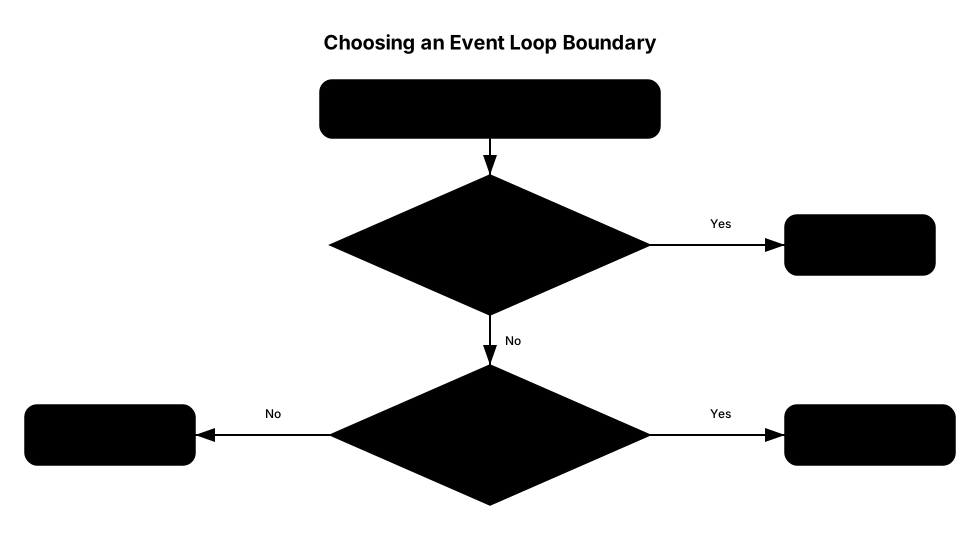
These mechanisms signal different intentions to the browser. They are not interchangeable.
Use a Promise when you need to continue work immediately after the current macrotask completes, but before the browser moves on. They are ideal for continuing work that logically depends on previous work. They help to preserve order, transform results and update state after completion. They are not a yielding mechanism.
Use setTimeout when you need to create a real scheduling gap. They are useful for breaking up long computation, deferring non-critical work and yielding cooperatively. They are general purpose yields.
Use requestAnimationFrame when you are performing visual updates. It is ideal for animations and layout-sensitive work.

Align Visual Updates to Frames
Consider this approach:
document.addEventListener("mousemove", (event) => {
  box.style.left = event.clientX + "px";
});
If the mouse fires 200 events per second, this code attempts 200 DOM updates per second. But on most displays, the refresh happens about 60 times per second. Visual work that exceeds that rate is simply wasted.
Instead, consider:
let latestX = 0;
let scheduled = false;

document.addEventListener("mousemove", (event) => {
  latestX = event.clientX;

  if (!scheduled) {
    scheduled = true;

    requestAnimationFrame(() => {
      box.style.left = latestX + "px";
      scheduled = false;
    });
  }
});
We use requestAnimationFrame to update at most once per frame, no matter the rate at which input can fire.
Respect the Frame Budget
requestAnimationFrame guarantees alignment to the frames but it does not guarantee smoothness. On a 60fps display, the browser has roughly 16ms per frames. That 16ms must include all JavaScript and rendering work.
If the JavaScript executed alone takes longer than that, the browser cannot complete rendering in time:
requestAnimationFrame(() => {
  const start = performance.now();

  while (performance.now() - start < 40) {
    // 40ms of work
  }
});
This callback runs before the browser renders but it blocks for 40ms and therefore exceeds the frame budget. Since the browser cannot display partial frames, if the 16ms window is missed, that frame is dropped. Instead of rendering at 60 frames per second, the browser renders less frequently: Animations can appear jerky, motion uneven and interactions delayed.
So while requestAnimationFrame helped with alignment, we must still finish the frame work within the frame window. Either work fits inside the budget or it is spread across multiple frames. For instance, this could mean animating in steps or deferring non-critical computation.
Responsive UI requires both correct scheduling and work that fits inside the budget.
Guard Against Stale Asynchronous Work
Asynchronous code creates delays. During this window, state can change:
function loadData() {
  fetch("/data")
    .then(response => response.json())
    .then(data => {
      render(data);
    });
}
This looks harmless but imagine the user clicking twice quickly and loadData() is called twice in succession. If the second request finishes first, the first request would render stale data and the UI would then be incorrect.
One common pattern is to guard against outdated work:
let currentRequestId = 0;

function loadData() {
  const id = ++currentRequestId;

  fetch("/data")
    .then(response => response.json())
    .then(data => {
      if (id !== currentRequestId) return;
      render(data);
    });
}
Now each request captures its own response and only the most recent request is allowed to update the UI.
Designing With the Browser, Not Against It
Responsive UI emerges from working within the browser's execution model.
In practice, that often means:
- Keeping tasks short so the browser can continue scheduling
- Remembering that microtasks do not yield to rendering
- Aligning visual updates to frame boundaries
- Ensuring that work fits within the frame budget.
- Verifying that delayed work is still relevant before applying it
I started this series because I had code that used Promises, setTimeout, and requestAnimationFrame. They all felt “asynchronous” and interchangeable. Turns out they weren't.
Good UI code knows which scheduling boundary to use and when.